
PPA tells you area and power. It doesn't tell you whether your design actually meets its clock period — that's what static timing analysis (STA) is for, and it's a PRO feature.
7 min read | Beginner Level
What You'll Learn
- What STA checks that synthesis and PPA don't
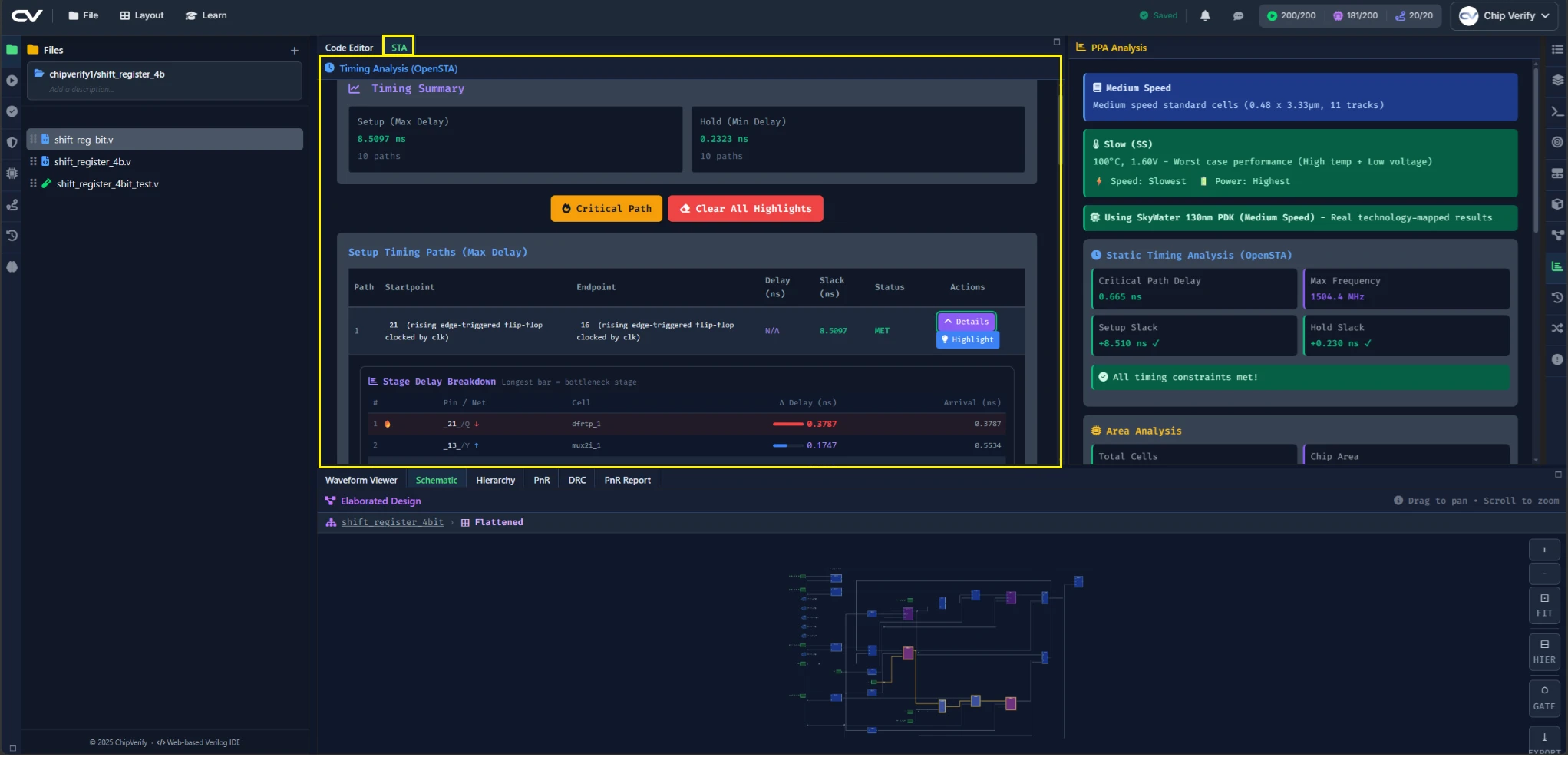
- How to run STA and read setup/hold slack
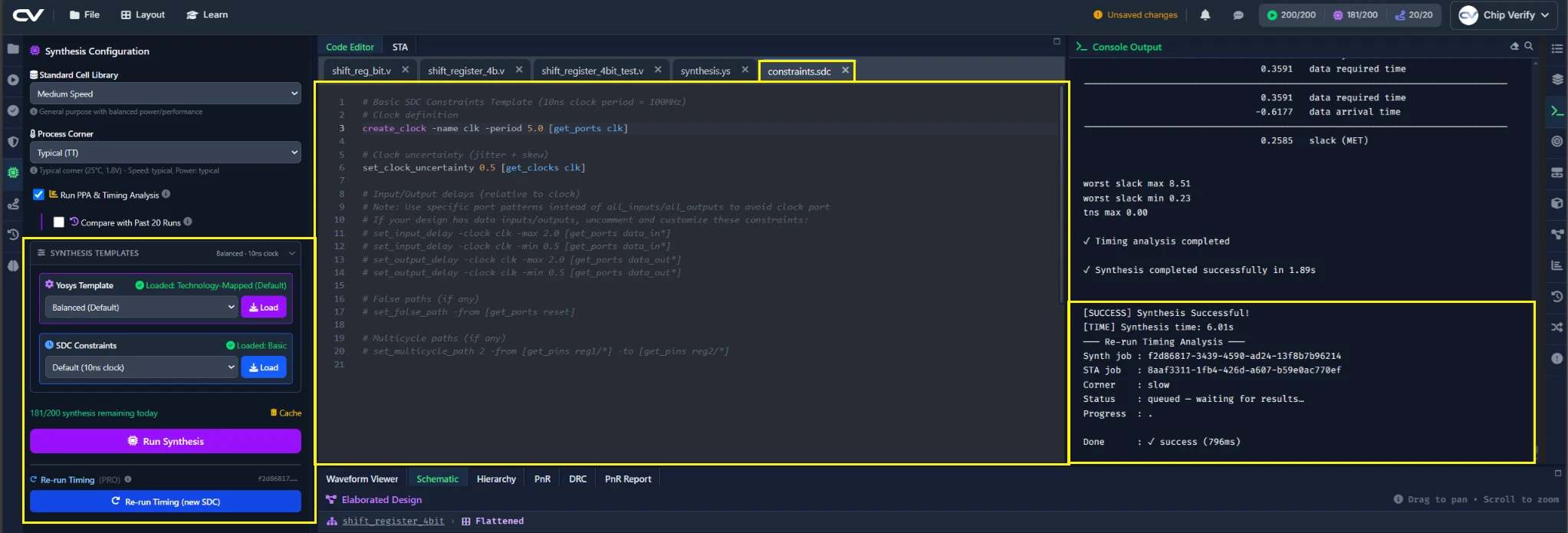
- How to change your timing constraints and re-check timing without re-synthesizing
- Why that re-run path matters for real iteration speed
What STA Adds Beyond Synthesis
Synthesis produces a netlist that implements your logic correctly, but it doesn't guarantee that netlist can run at your target clock speed. STA checks that: it looks at every timing path in the design and reports slack — how much margin (positive) or violation (negative) each path has against your clock period.
Full STA (setup/hold slack across your design) requires the PRO tier. FREE synthesis includes basic checks, but not dedicated STA panels.
Editing the SDC & Re-Running Timing Without Re-Synthesizing
Your timing constraints live in constraints.sdc, edited like any other file in the same editor you've been using all series. After changing something — tightening the clock period, for example — you don't need to re-run synthesis to see the effect on timing. Back on the Synthesis tab (not the STA tab — the re-run action lives next to the synthesis controls, since it reuses that run's netlist), click Re-run STA (same netlist, new SDC), and it re-times the existing netlist against your updated constraints directly.
Why This Saves Time on Iteration
Synthesis is the slower step of the two. Being able to sweep through several clock periods against the same netlist, without re-synthesizing each time, is what makes it practical to actually find where a design's timing limit is instead of guessing.
Common Mistakes
Mistake #1: Re-synthesizing for a constraint-only change
If you only changed constraints.sdc, use the re-run button instead of a full synthesis run — the netlist hasn't changed, so re-synthesizing wastes time without changing the result.
Mistake #2: Misreading negative slack as a synthesis failure
A negative slack number means the design doesn't meet the clock period you asked for — it isn't a synthesis error, and the netlist is still functionally correct. The fix is either a slower clock (a looser constraint) or reducing the logic on the critical path, not re-running synthesis with the same settings.
Where Is This Used?
Iterative constraint tuning — re-timing the same netlist against several candidate clock periods — is exactly how real timing closure is done. Teams rarely re-synthesize for every SDC tweak; they re-run STA against the constraint they're testing.
Practice Exercise
Challenge: Find the Failing Point
Starting from a clock period you know passes, tighten it in constraints.sdc and use the re-run button repeatedly until the worst slack goes negative.
Hint
You don't need to guess one value at a time — try halving the gap between your last passing and last failing period each round.
Solution
There's no single correct period — the exercise is the process: use the re-run button to narrow in on the shift register's actual timing limit without a single re-synthesis run along the way.
Summary
In this tutorial, you learned:
- What STA checks that synthesis alone doesn't
- How to run STA and read setup/hold slack
- How to edit
constraints.sdcand re-run timing against the existing netlist - Why this re-run path is faster than re-synthesizing for every constraint change