
With a working simulation behind you, the next two tools take the design from checked RTL to an actual gate-level netlist: lint first, then synthesis.
7 min read | Beginner Level
What You'll Learn
- Why lint runs before synthesis, not after
- How to run lint and act on its warnings
- Which synthesis options are FREE and which need PRO
- How to run synthesis and read the resulting log
Why Lint Before Synthesis
Lint checks your RTL for style and structural issues — unused signals, width mismatches, latch inference — without running a full synthesis flow. It's fast, so it's worth running before you spend synthesis time on a design that has an easy-to-miss issue in it.
Running Lint & Reading Warnings
Open the Lint tab and click Run Verilator Lint — it runs Verilator in lint-only mode, checking your RTL's structure without simulating anything.
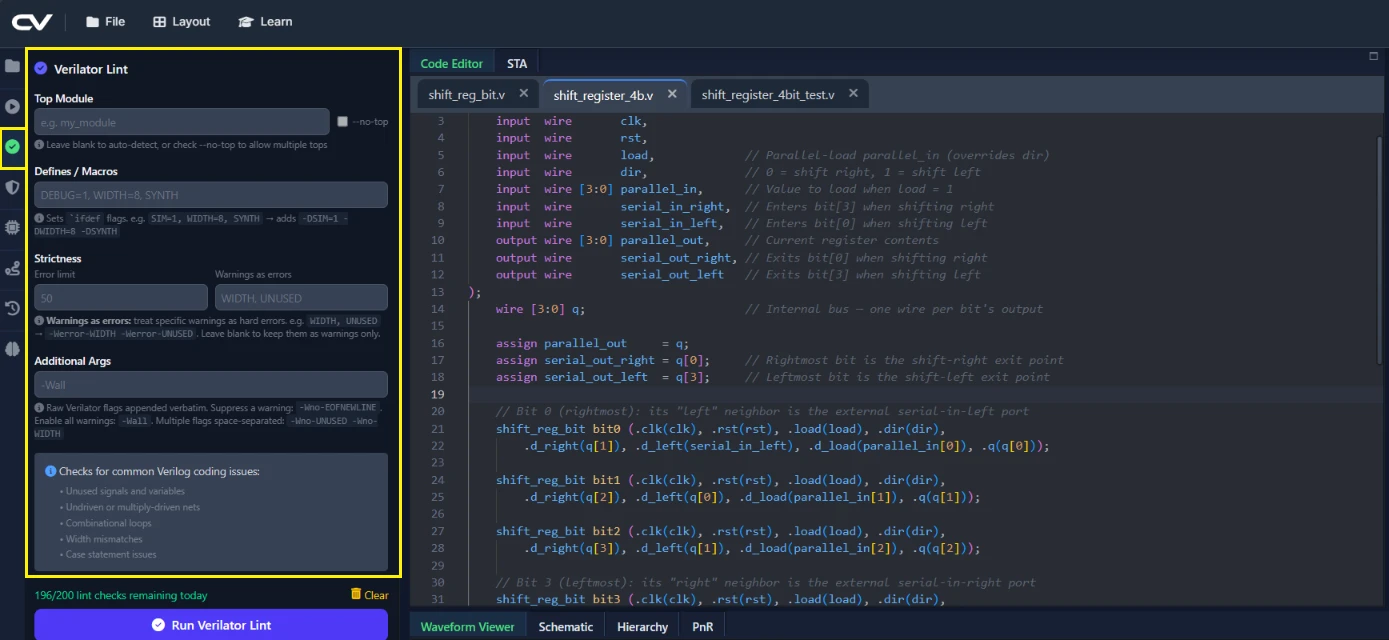
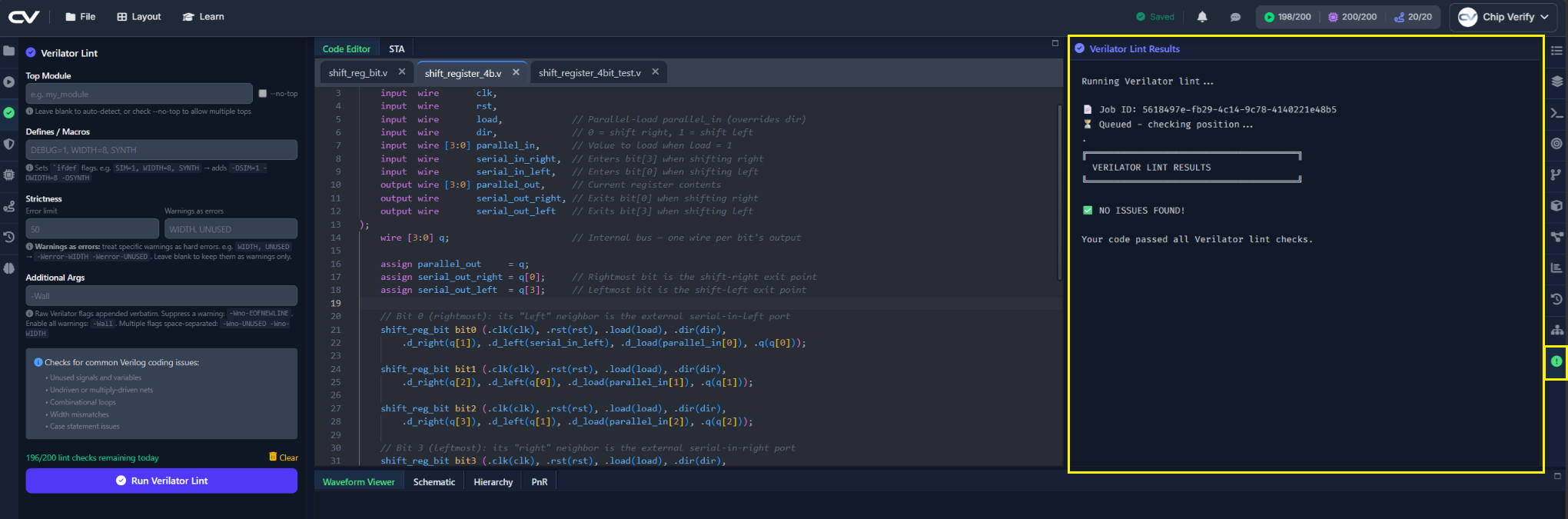
Results appear as text in the Lint panel; there's no click-to-jump-to-line yet, so if a warning references a specific signal, use the editor's own search (or the Outline panel from Chapter 1) to find it. The Lint tab has a few more settings below the defaults — Top Module override, Defines/Macros, strictness controls, and raw flags — that this design doesn't need; the next article covers what each is for.
The Synthesis Tab
The Synthesis tab has two dropdowns: Standard Cell Library and Process Corner.
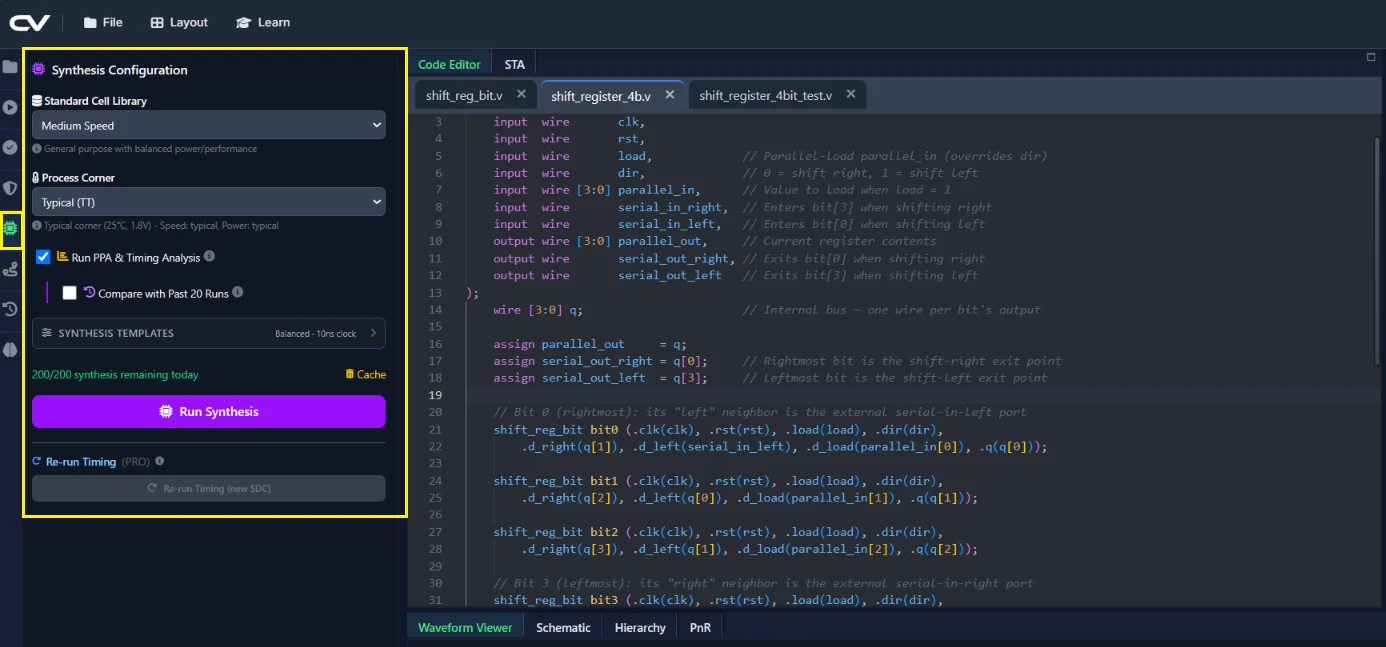
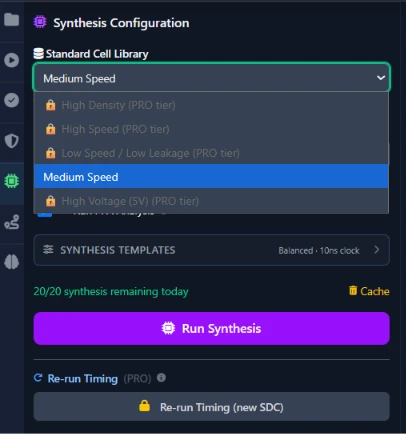
A corner models a specific combination of process variation, voltage, and temperature — typical is the nominal case you'll use for everyday iteration, while fast and slow represent best- and worst-case manufacturing/operating conditions used for real timing signoff (Chapter 5 covers this properly once STA is in the picture). On the FREE tier, both dropdowns are locked to a single option — the ms (medium speed) library at the typical corner. PRO unlocks four more libraries and the fast/slow corners, which Chapter 6 puts to use.
Libraries beyond ms and corners beyond typical require the PRO tier.
Running Synthesis & Reading the Log/Cell Stats
Click Run Synthesis. The log shows the synthesis tool's output, ending in a cell-count summary once it completes — you'll read this in more depth in Chapter 5's PPA panel.
You'll automatically see the PPA results, schematic and STA results if synthesis succeeds.
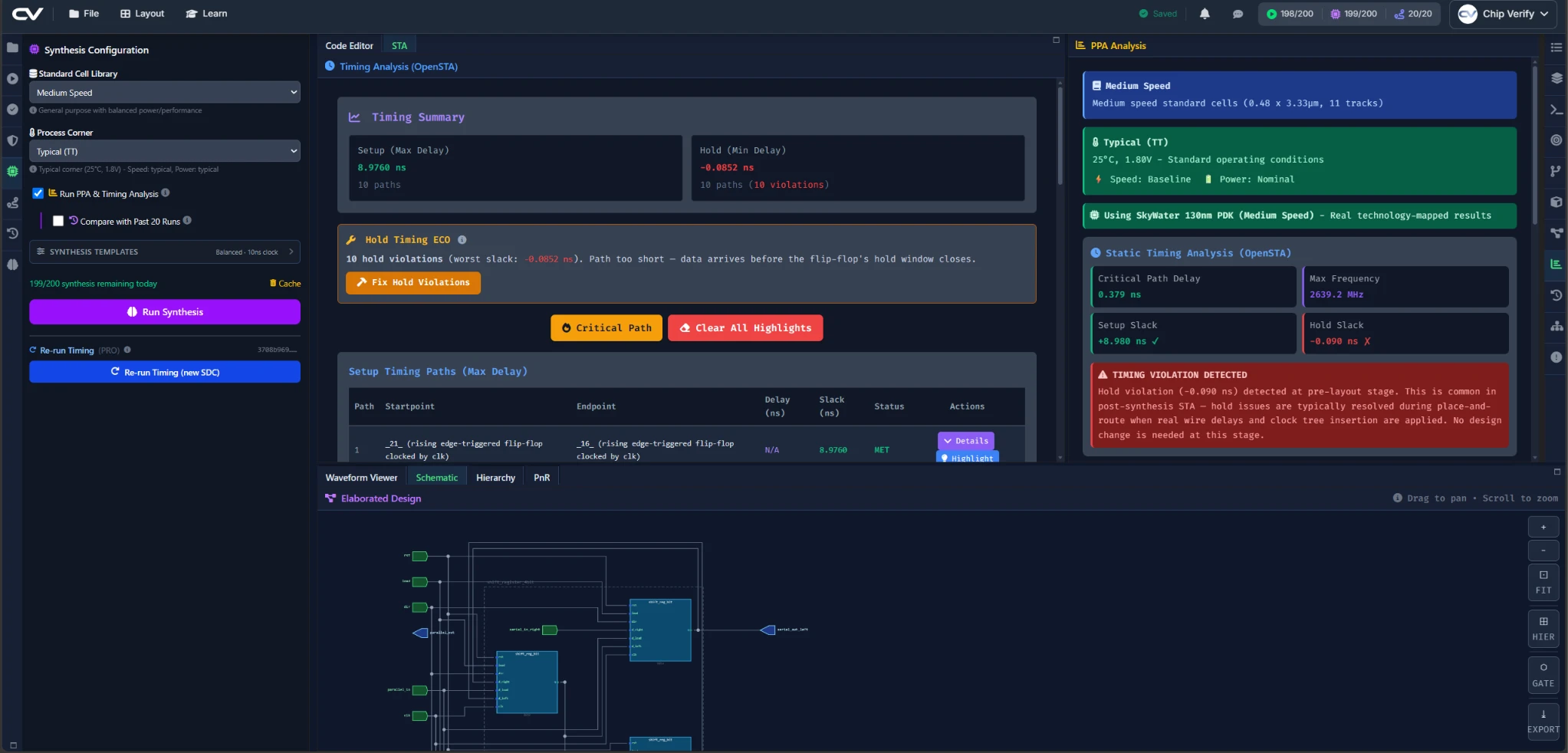
- 'STA' panel shows a breakdown of all timing paths, and allows you to select and highlight all paths in the schematic to trace violations
- 'Cell Info' panel shows the cell information like fan-ins, fan-outs, all timing paths for a selected cell in the schematic
- 'Connectivity' panel shows the driver and loads for the net
Common Mistakes
Mistake #1: Skipping straight to Run Synthesis
Nothing stops you from ignoring the Lint tab entirely, but doing so trades a few seconds of lint output now for a slower, harder-to-read synthesis log later if the same issue shows up there instead. Get in the habit of running lint first, every time, even when you're confident the RTL is fine.
Mistake #2: Assuming all libraries/corners are available on FREE
If the library or corner dropdown only shows one greyed-out option beyond ms/typical, that's expected on FREE — it's not a bug.
Mistake #3: Reading a stale synthesis log after an RTL edit
The log panel shows the result of the last run, not a live view. If you've edited a file since your last synthesis run, re-run it before trusting what's on screen.
Where Is This Used?
Lint as a mandatory code-review gate, run well before anyone spends compute on synthesis, is standard practice on real ASIC and FPGA teams — catching a structural issue in seconds is far cheaper than catching it after a multi-minute synthesis run.
Practice Exercise
Challenge: Introduce and Fix a Lint Warning
Add an unused wire to shift_register_4bit.v — for example, wire unused_bit = q[0] ^ q[3]; without ever reading unused_bit anywhere. Run lint, find the warning it produces, then remove the wire and confirm lint is clean again.
Hint
Most linters flag a declared-but-unread signal by name — look for unused_bit in the lint output text.
Solution
Deleting the unused wire unused_bit = ...; line removes the warning entirely, since the signal no longer exists to be flagged.
Summary
In this tutorial, you learned:
- Why lint runs before synthesis in a real RTL flow
- How to run lint and read its warnings
- That FREE synthesis is locked to the
mslibrary andtypicalcorner - How to run synthesis and where to find the resulting log
