
Synthesis produces a netlist; it doesn't produce a physical chip layout. That's the job of place-and-route (PnR) — the step covered in this article.
6 min read | Beginner Level
What You'll Learn
- What PnR adds after synthesis
- What you can configure in the PnR tab, and what's FREE vs PRO
- How to run PnR on the shift register
- How to read the PnR report
The PnR Tab
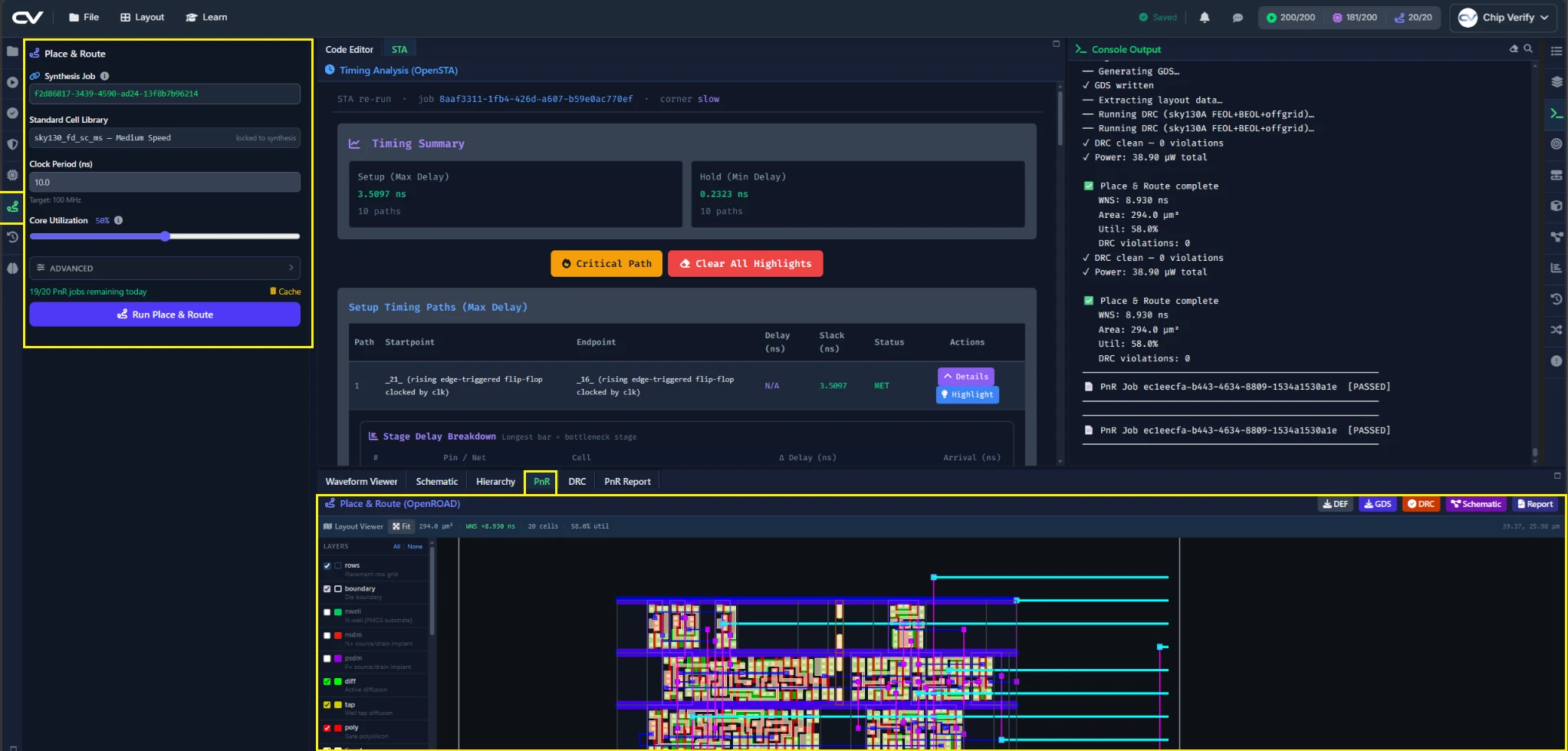
The PnR config panel lets you set a Clock Period and a Core Utilization percentage — how densely cells are packed into the available die area. Push utilization higher and the die shrinks, but routing gets harder and can fail outright on a tight design; a lower utilization leaves more room to route at the cost of a larger die. For a design this small the difference barely matters, but it's the first lever you'd reach for on a larger one. PnR reuses the standard-cell library from your most recent synthesis run rather than offering a separate library choice here.
FREE vs PRO PnR Limits
FREE allows up to 5 PnR runs a day on designs up to 2,500 cells, using a fixed flow — comfortably enough for this shift register. PRO removes the cell-count cap, raises the daily limit to 20, and unlocks three advanced options: TinyTapeout mode, which constrains the flow to the fixed tile size required by the TinyTapeout open-silicon shuttle program — only relevant if you actually intend to submit a design there; a custom die area, for setting die size directly instead of letting utilization derive it, useful when you're deliberately exploring the area/routability trade-off; and direct editing of the generated OpenROAD TCL script, for hand-tuning the flow beyond what the built-in options expose. None of the three matter for this tutorial's design, but it's worth knowing what they're for once you're working on something that needs them.
Custom PnR TCL, TinyTapeout mode, custom die area, and unlimited cell count require the PRO tier.
Running PnR on the Shift Register
Set a clock period (start with whatever passed STA in the previous chapters, if you completed it) and click Run Place & Route. It takes noticeably longer than synthesis — it's doing real physical placement and routing, not just logic mapping.
Reading the PnR Report
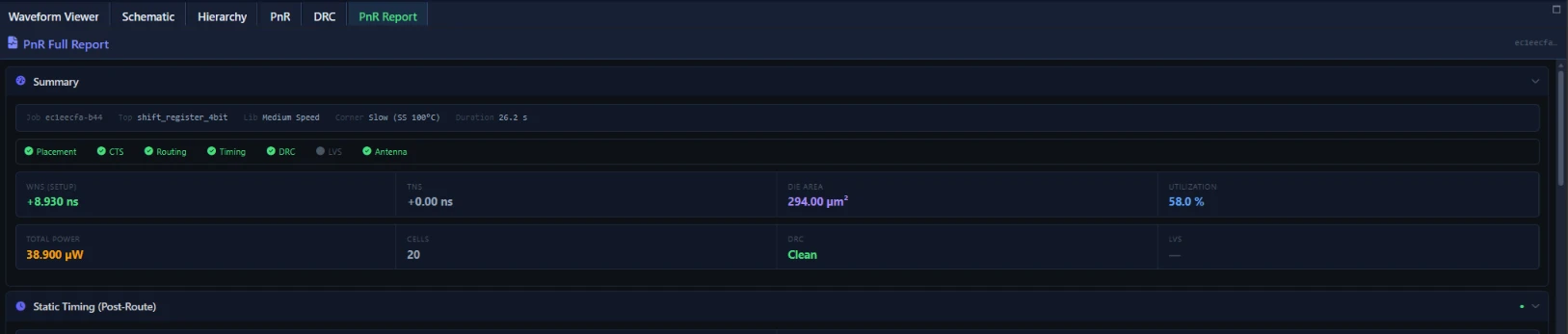
The report is organized into sections: Summary, Static Timing (Post-Route), Area & Floorplan, Power Analysis, CTS (clock tree synthesis), IR Drop/PDN Sign-off, a built-in DRC section, LVS, Antenna Analysis, Routing Congestion, and a full OpenROAD log for anything not covered elsewhere. Start with Summary and Area & Floorplan — that's where you'll see the actual, physically-placed area for the first time.
Common Mistakes
Mistake #1: Assuming a mismatch between panels means something broke
The PnR report's Area & Floorplan and Static Timing sections will not match Chapter 5's PPA panel exactly — they're reading different stages of the flow, not re-displaying the same data. Don't go hunting for a bug just because two panels disagree; check which stage each one is reporting on first.
Mistake #2: Running PnR before synthesis is clean
If synthesis has warnings or a netlist you haven't reviewed, fix that first. Debugging a PnR failure that's actually rooted in the netlist wastes the extra time PnR takes to run.
Where Is This Used?
PnR is the step where a synthesis tool's gate-count estimate becomes a real, physically-constrained layout — it's the last software step before a design can be sent for fabrication.
Practice Exercise
Challenge: Compare Pre- and Post-Layout Area
Run PnR and find the final area number in the Area & Floorplan section. Compare it against the Chip Area you recorded from the PPA panel in Chapter 5.
Hint
Some difference is expected — the question is which direction it moved and roughly by how much.
Solution
Post-layout area is typically somewhat larger than the pre-layout synthesis estimate, since routing and cell placement introduce overhead (spacing, buffering) that a pure gate-count estimate doesn't account for.
Summary
In this tutorial, you learned:
- What PnR adds beyond synthesis
- What FREE's PnR limits are, and what PRO's custom TCL and unlimited cell count add
- How to run PnR on the shift register
- How to navigate the PnR report's sections
