
Every tool in this series can produce output you don't immediately understand — a lint warning, a timing violation, a synthesis log line. Ask AI is built to help you make sense of it without leaving the IDE.
5 min read | Beginner Level
What You'll Learn
- How to open Ask AI and start a conversation
- The difference between FREE and PRO access
- How to ask questions that get useful answers about your own design
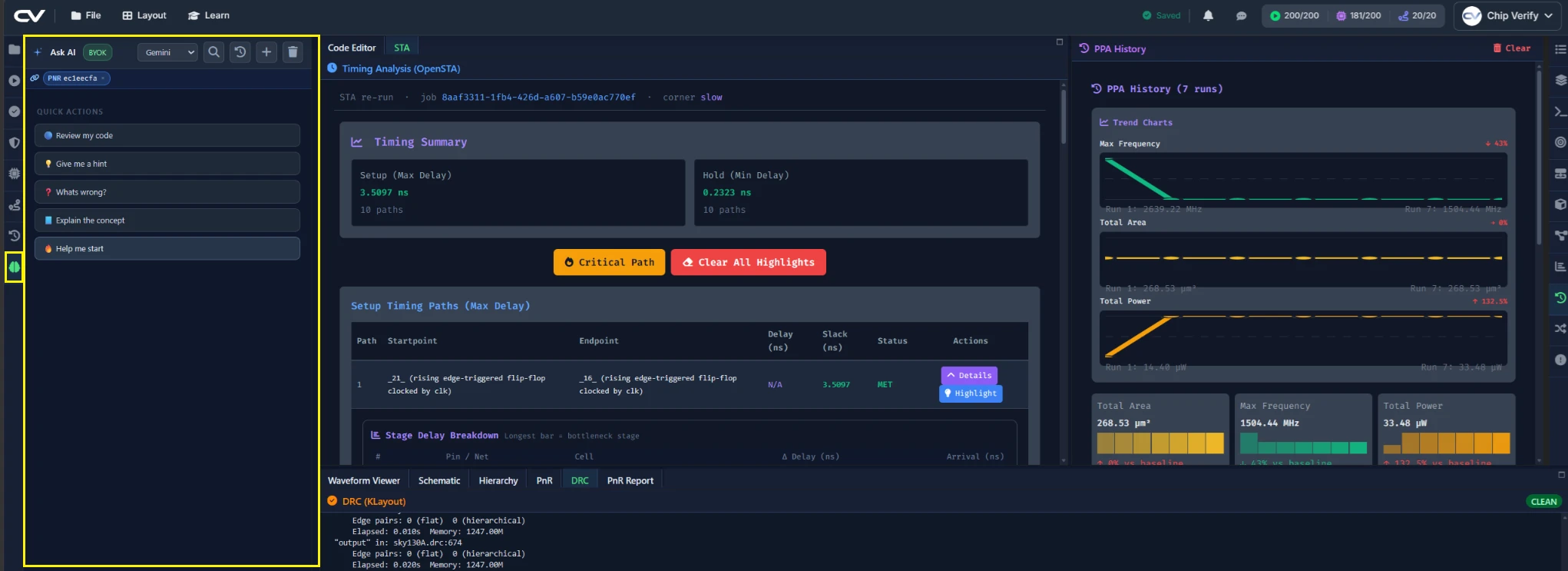
Opening the Ask AI Panel
Ask AI is a general chat panel, not something tied to a single run — it always sees your current code, so you can just start typing a question. You can optionally link a specific job to the conversation for extra context, which is useful when you're asking about a particular run's output rather than the code in general.
Asking About a Failed Run
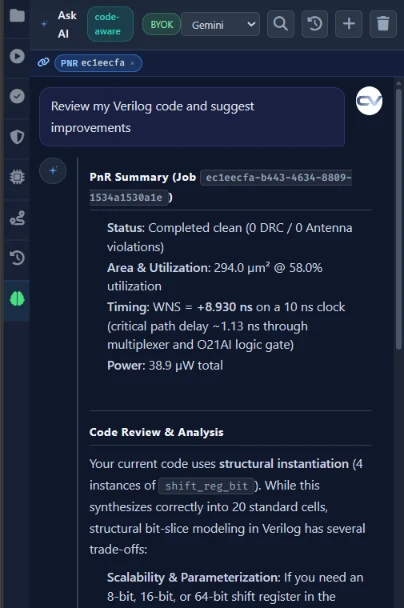
Try asking about something concrete from an earlier chapter — for example, a lint warning from Chapter 3 or a slack value from Chapter 5's STA run. Being specific about which output you're asking about gets a more useful answer than a general "why doesn't this work."
Best Practices for Prompting Ask AI About Your Design
Point at the specific thing you're confused about — a signal name, a line number, a specific warning — rather than pasting your entire project and asking "what's wrong." Ask AI can explain what a piece of code does and why an error occurred; treat its answers as something to understand and verify against the actual code, not as an automatic fix to apply blindly.
Common Mistakes
Mistake #1: Pasting an entire multi-file project into one question
A focused question about a specific job or signal gets a focused answer. A dump of every file in your project makes it harder, not easier, for Ask AI to identify what you're actually asking about.
Mistake #2: Expecting Ask AI to auto-fix your code
Ask AI explains — it doesn't edit your files for you. Read its explanation, then make the change yourself in the editor.
Where Is This Used?
AI-assisted debugging is a growing complement to manual RTL review in real workflows — useful for quickly understanding an unfamiliar error message or a synthesis log line, but not a replacement for actually reading and understanding your own design.
Practice Exercise
Challenge: Explain the Mux Priority
Ask Ask AI to explain why load takes priority over dir in shift_reg_bit, then compare its answer against the actual mux logic from Chapter 1.
Hint
Point it specifically at the two mux lines — d_shift and d_next — rather than asking about the whole module.
Solution
The correct explanation matches Chapter 1's mux structure: d_next is computed from d_shift only when load = 0, so whenever load = 1, d_load reaches the flip-flop regardless of dir.
Summary
In this tutorial, you learned:
- How to open Ask AI and start a conversation about your code
- That FREE requires your own API key, while PRO includes a daily quota with no key setup
- How to ask focused questions that get useful answers
- That Ask AI explains code — it doesn't edit it for you
