
The top-level schematic shows four identical instances of the same submodule — but it doesn't show what's inside them until you go looking. This article covers pushing into a hierarchical instance and popping back out.
6 min read | Beginner Level
What You'll Learn
- Why hierarchy navigation matters once a design has repeated instances
- How to push into a
shift_reg_bitinstance from the top-level schematic - How to read the mux-and-flip-flop structure inside it
- How to pop back out to the top level
Why Hierarchy Matters in a 4-Instance Design
The top-level schematic from the previous article shows that there are four shift_reg_bit instances, but not what's inside each one. On a design this size that's mostly a convenience; on a real design with thousands of instances, it's the only reason the schematic stays readable at all — nobody views a flat, fully-expanded netlist by choice.
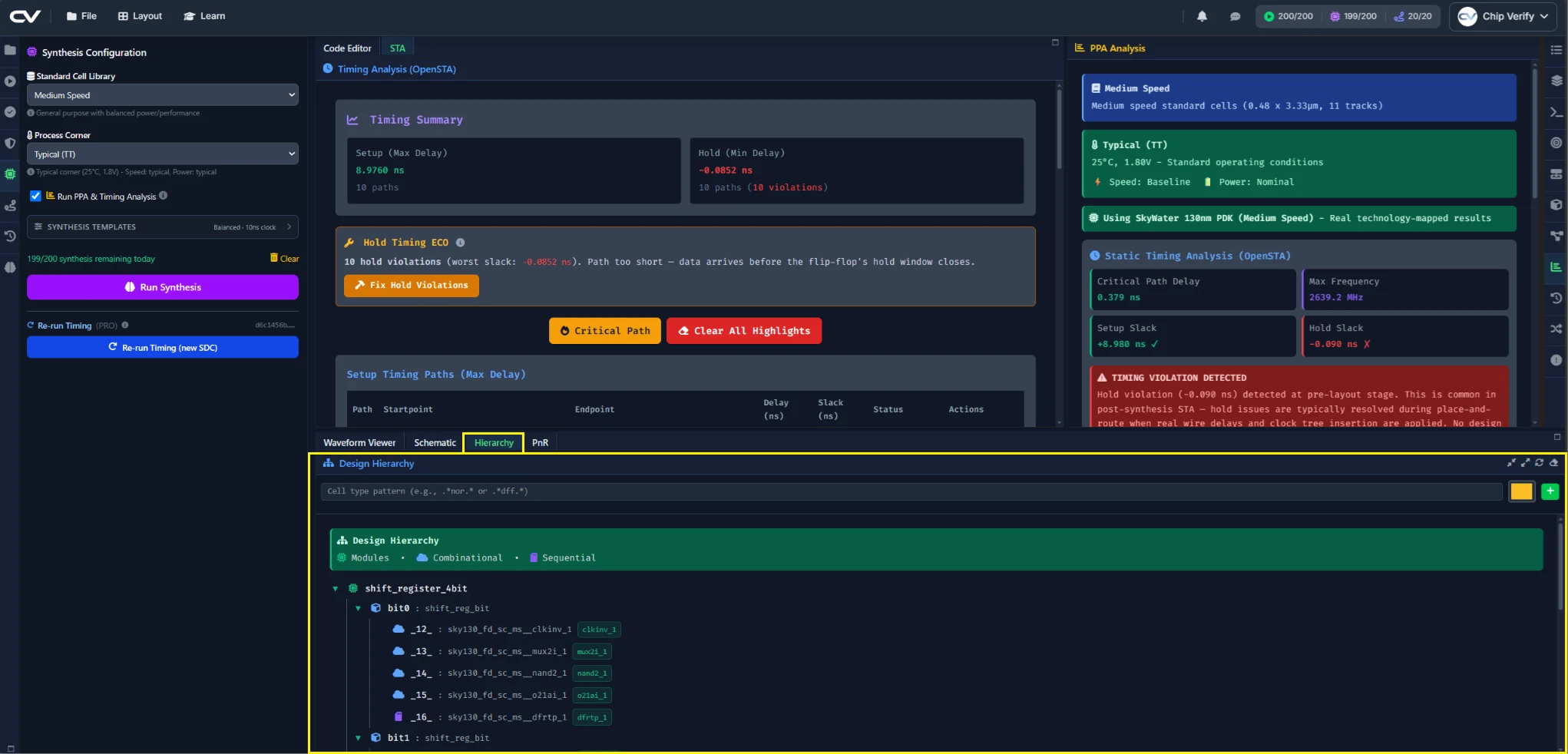
Pushing Into a shift_reg_bit Instance
Double-click any of the four instance boxes in the top-level schematic. The view descends into that instance, showing its internal structure instead of the top level.
Reading the Mux+DFF Inside
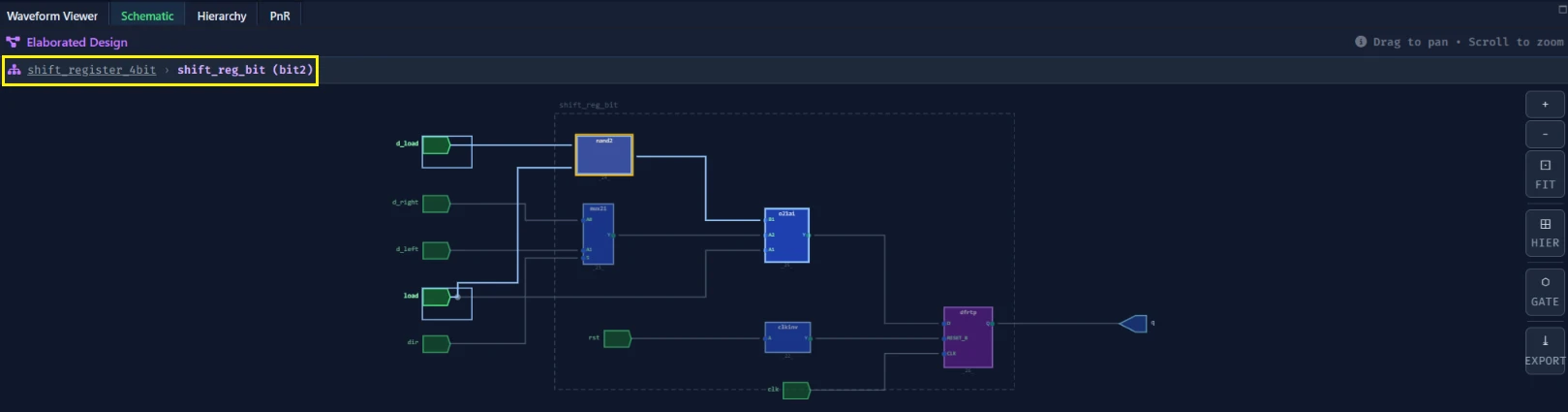
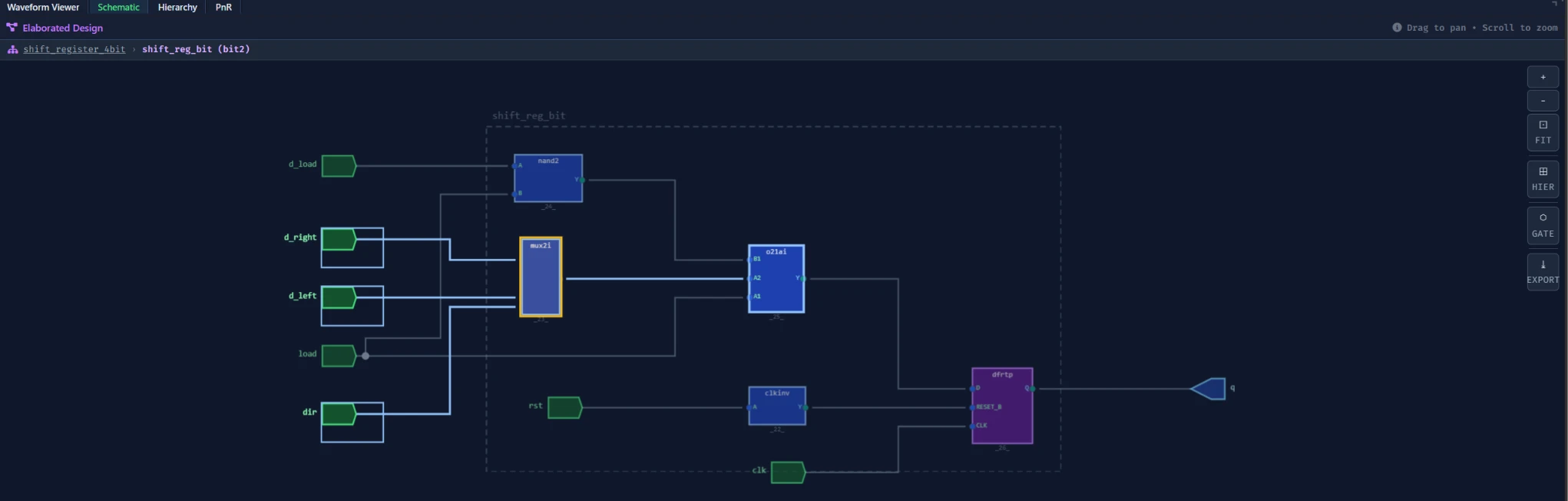
Inside, you'll see exactly what Chapter 1's RTL described: a mux selecting between the load path and the direction-based shift path, feeding a single D flip-flop. All four instances look identical here — they're the same submodule, just wired to different neighbors at the top level.
Popping Back to the Top Level
A breadcrumb trail appears once you've pushed into an instance. Click the top-level segment of the breadcrumb to pop back out.

Common Mistakes
Mistake #1: Confusing "push into instance" with opening a different file
Pushing into bit0 doesn't open a different Verilog file — all four instances come from the same shift_reg_bit.v. You're viewing the same module's synthesized structure from a different vantage point, not different source code.
Mistake #2: Not realizing all four instances are identical inside
If you push into bit0, then bit3, and see the same mux-and-flip-flop structure both times, that's correct — the difference between the four instances is entirely in how they're wired together at the top level, not in their internal logic.
Where Is This Used?
Hierarchy navigation is what makes million-gate designs debuggable at all — engineers push into the specific block they care about rather than scrolling through a flat netlist that would otherwise run to millions of lines.
Practice Exercise
Challenge: Check bit3's Wiring
Push into bit3 specifically — the instance wired to the design's external serial_in_right port — and identify which mux input feeds its flip-flop when dir = 0.
Hint
Look back at Chapter 1's instantiation: shift_reg_bit bit3 (..., .d_right(serial_in_right), ...).
Solution
When dir = 0 (shift right) and load = 0, the mux selects d_right, which for bit3 is wired directly to the top-level serial_in_right port — exactly what you'd expect for the chain's rightmost-shifting entry point.
Summary
In this tutorial, you learned:
- Why hierarchy navigation matters as designs grow
- How to push into an instance with a double-click
- That all four
shift_reg_bitinstances share identical internal logic - How to pop back to the top level using the breadcrumb