
Passing a testbench tells you the design behaved correctly for the stimulus you gave it — it doesn't tell you how much of the design that stimulus actually exercised. That's what coverage measures.
6 min read | Beginner Level
What You'll Learn
- How to enable coverage during simulation
- How to read a coverage report
- How to identify and close a coverage gap on the shift register
Enabling Coverage During Simulation
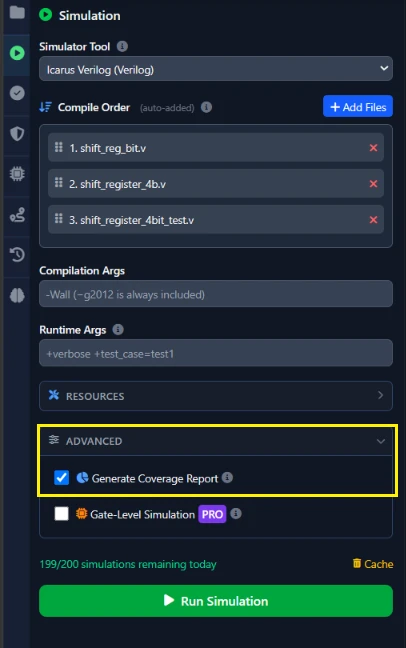
In the Simulate tab, check Generate Coverage Report. It measures line, toggle, and combinational coverage, and requires a VCD — the same $dumpfile/$dumpvars setup from Chapter 2's testbench.
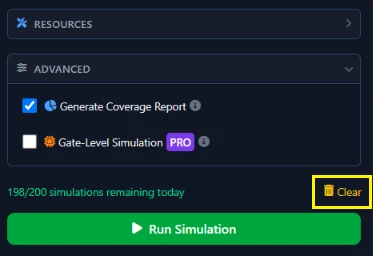
Remember to clear the cache if you had already run a simulation for the design to recompute coverage from a fresh run.
Reading the Coverage Report
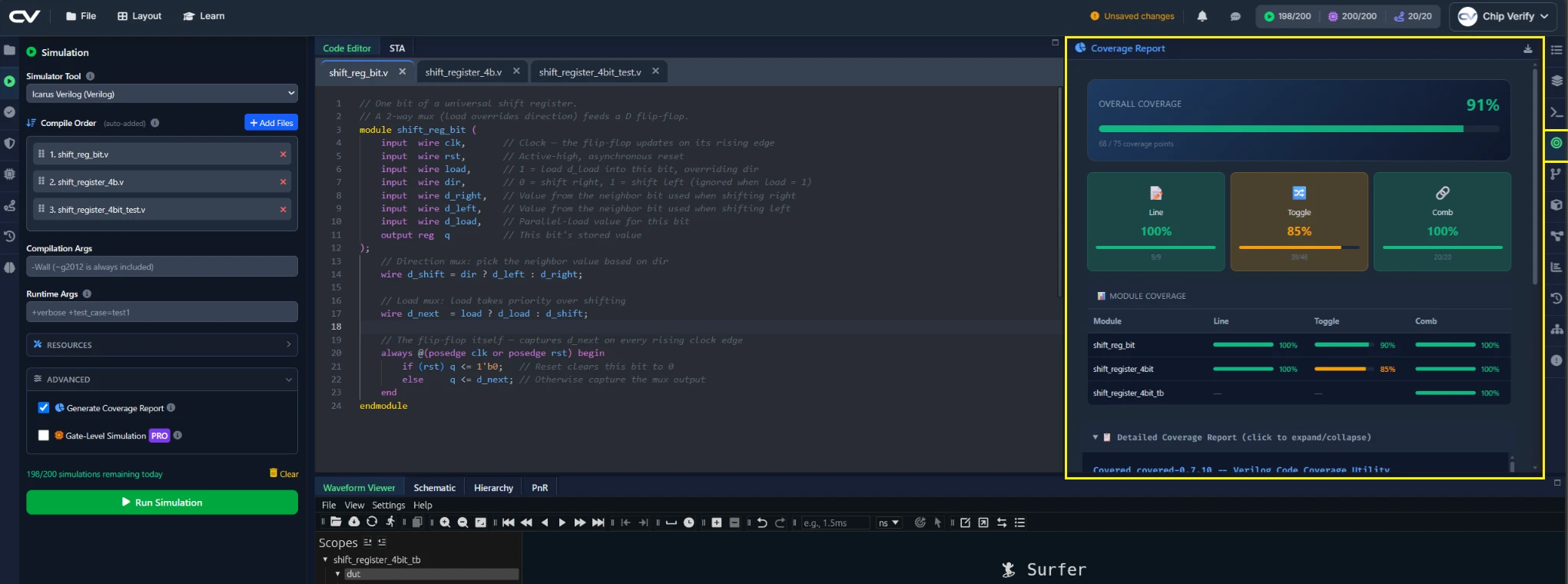
The Coverage Report panel opens with an overall coverage percentage, then breaks that down per module, and finishes with a detailed list of specific signals that never reached full coverage — that last section is where you'll actually find what to fix.
Improving Coverage on the Shift Register
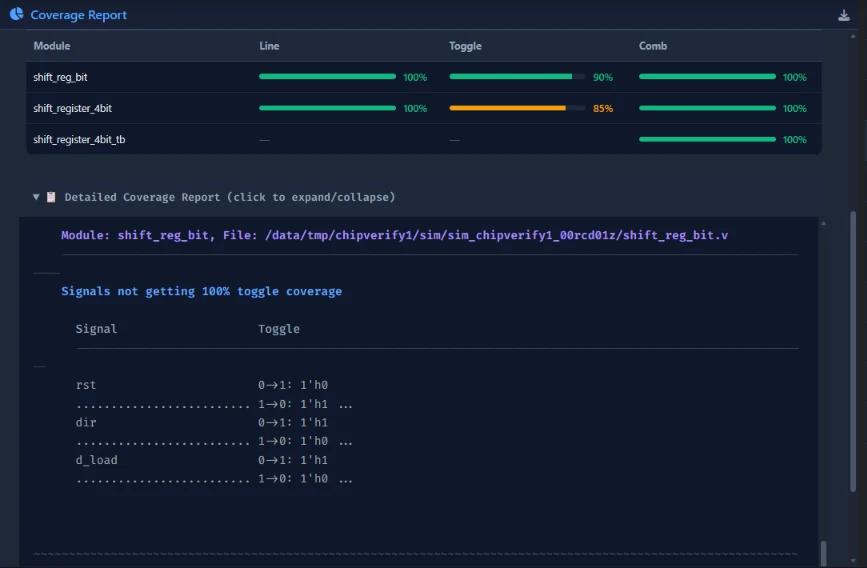
Look at Chapter 1's testbench: it de-asserts rst once, at the very start, and but doesn't assert at all. If the coverage report flags a reset-related toggle as not fully exercised, that's why — the testbench never tests a reset asserted partway through a shift.
Common Mistakes
Mistake #1: Assuming coverage runs automatically
ChipVerify Lab generates a VCD for every simulation run now, so the underlying data coverage needs is always there — but coverage analysis itself is still a separate opt-in. If you didn't check Generate Coverage Report before running, there's no report to look at, regardless of whether a waveform was produced.
Mistake #2: Treating 100% coverage as proof of correctness
Coverage measures what your testbench exercised, not whether the design behaves correctly when it does. A design can reach 100% line coverage while still having a wrong output for some input — coverage and correctness are separate questions.
Where Is This Used?
Functional and code coverage are standard sign-off metrics before tape-out — a real verification plan tracks coverage explicitly, rather than relying on "the testbench passed" as the only evidence a design is ready.
Practice Exercise
Challenge: Find the Gap in the Report
Run the Chapter 1 testbench with Generate Coverage Report checked, then go straight to the detailed gap list at the bottom of the Coverage Report panel and find the specific signal or branch it flags as not fully exercised — not the overall percentage, the named item underneath it.
Hint
Think about what the testbench does exactly once, at the very start, and never repeats.
Solution
The gap list should point at the reset branch of shift_reg_bit's always block — the testbench asserts rst once at the start and never again, so the reset path is only exercised in that one initial context. Adding a second, later rst pulse to the testbench and re-running would close it, which you can verify by checking the same detail section again.
Summary
In this tutorial, you learned:
- How to enable coverage analysis during simulation
- How to read a coverage report's overall, per-module, and detailed-gap sections
- How to identify and close a specific coverage gap on the shift register
- Why coverage and functional correctness are separate questions
